Two-way simultaneous listening and interpretation
Select the customer's and your own audio sources respectively, and both channels can be listened to at the same time.
Understand English communication and grasp the content of the conversation in a timely manner. Convert the English played by the computer and the English in the microphone into text, and display the Chinese translation to help you keep up with customer calls and online meetings.
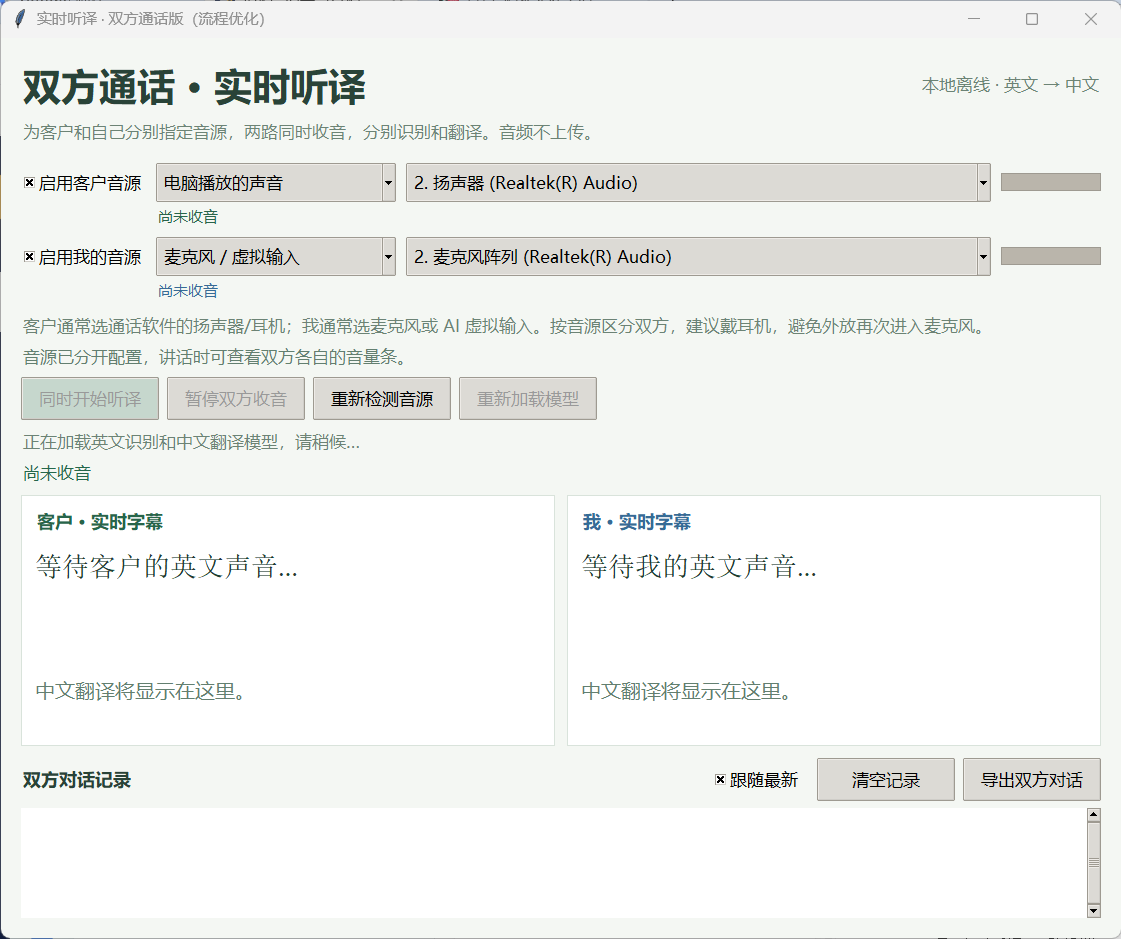
From listening to conversations to checking content and saving records, it is designed around the real communication process.
Select the customer's and your own audio sources respectively, and both channels can be listened to at the same time.
The English recognition text is displayed first, and then the Chinese translation is presented for easy understanding and verification.
Models are processed locally on your computer, no cloud API or internet connection required.
Save both parties’ tags, time, sound source names, and Chinese and English content for easy subsequent organization.
Listen to the customer's description of the product, specifications, quantity and delivery, and export the record after the call for easy organization.
Pay attention to the English speech and understand the key points based on the Chinese translation. Other sounds played by the computer may also be recorded.
Separate your own English input from the other party's audio source to view the transcripts of both parties.
Prepare a Windows 64-bit computer and two independent audio sources to get started.
Completely unzip the software, open the program, and wait for the model to be ready.
Choose the speakers or headphones that actually play the sound for your clients and the microphone for yourself.
Click "Start Listening and Translating Simultaneously", observe the two volume bars, and view English and Chinese.
Pause the radio when it's over; if you need to save it, click "Export both parties' conversation" before closing the program.
The current version processes English speech and translates it into Chinese. It does not provide Chinese speech translation into English, automatic dialing, or AI automatic dialogue.
The two sides are distinguished by the selected sound source, not voiceprint recognition. It is recommended to use headphones to prevent the other party's voice from entering the microphone and causing repeated display.
Recognition speed and accuracy are affected by factors such as computer performance, call sound quality, background sounds, and multiple people speaking at the same time. Please check with the original text for important information.
Contact Shawn via WeChat or WhatsApp to chat about your usage needs.
Product screenshots show the Chinese-language software interface.